How to play sounds through your mic in Discord
Discord's built-in soundboard only takes short clips, and you need Nitro to use your own sounds in other servers. A soundboard app on your PC has neither limit: any file, any length, played straight into voice chat as if it came from your mic.
⬇ Download Onion Board (free)Windows 10 and 11 · no account, no ads, no tracking
How it works
Discord can only listen to one microphone. So a soundboard mixes your real mic and your
sounds together and sends the mix into a virtual cable, a free audio driver that
shows up as an extra mic called CABLE Output. You pick that as your mic in
Discord, and your friends hear your voice and your sounds together.
Onion Board's installer sets the cable up for you, so there's nothing else to download.
Setup, step by step
- Download
OnionBoardSetup.exeand run it. Leave the virtual cable box ticked. - Onion Board opens with a short guide. Pick the mic you talk into and the headphones you listen on.
- In Discord, open User Settings → Voice & Video and set Input Device to
CABLE Output. - In the same place, set Input Profile to Studio. Otherwise Discord's noise suppression treats music and sound effects as background noise and cuts them out.
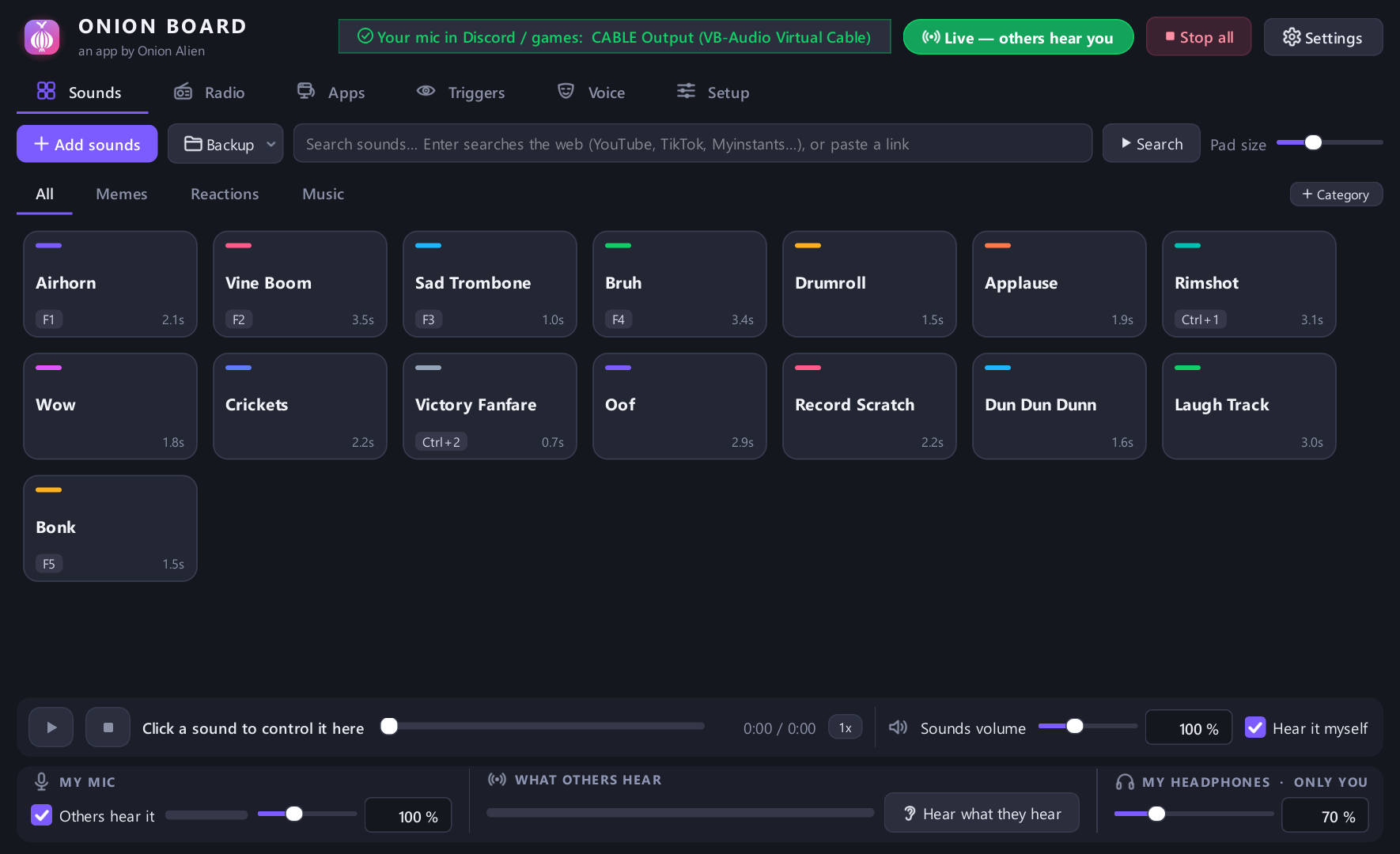
- Drag sound files onto the Onion Board window and double-click a pad. Everyone in the call hears it.
Play sounds while you're in a game
Right-click a pad and give it a hotkey. Hotkeys work even while a fullscreen game has focus, so you can fire a sound without tabbing out. There's also a small in-game overlay: press its key and a panel of pads appears over your game.
The same setup works in any game with voice chat: set the game's microphone to
CABLE Output instead of Discord's.
Where to get sounds
- Drag in any audio file: mp3, wav, ogg, flac, m4a. Video files work too; Onion Board pulls the audio out.
- Type a name into Search sounds to find it on YouTube or SoundCloud and add it as a pad.
- Paste a link from YouTube, TikTok, Instagram, X or Reddit and add its audio.
Common problems
- Friends hear nothing: Discord's Input Device isn't
CABLE Output. - Sounds cut in and out: set Input Profile to Studio, or turn off noise suppression. Onion Board's Setup tab has a check that tells you which Discord setting is chopping your sounds.
- They hear sounds but not your voice: tick send next to My mic at the bottom of the window.
- Only want the sounds, not your voice? Untick that same box.
Also in Onion Board
A live voice changer, text-to-speech, instant replay of the last 30 seconds of a call, MIDI pad support, and screen triggers that play a sound when something shows up in your game. See everything it does →